
Code generator
The code generator is the core of how this template stays consistent: most of the platform's standard modules are generated themselves, so the code you generate is written the same way as the platform's own code.
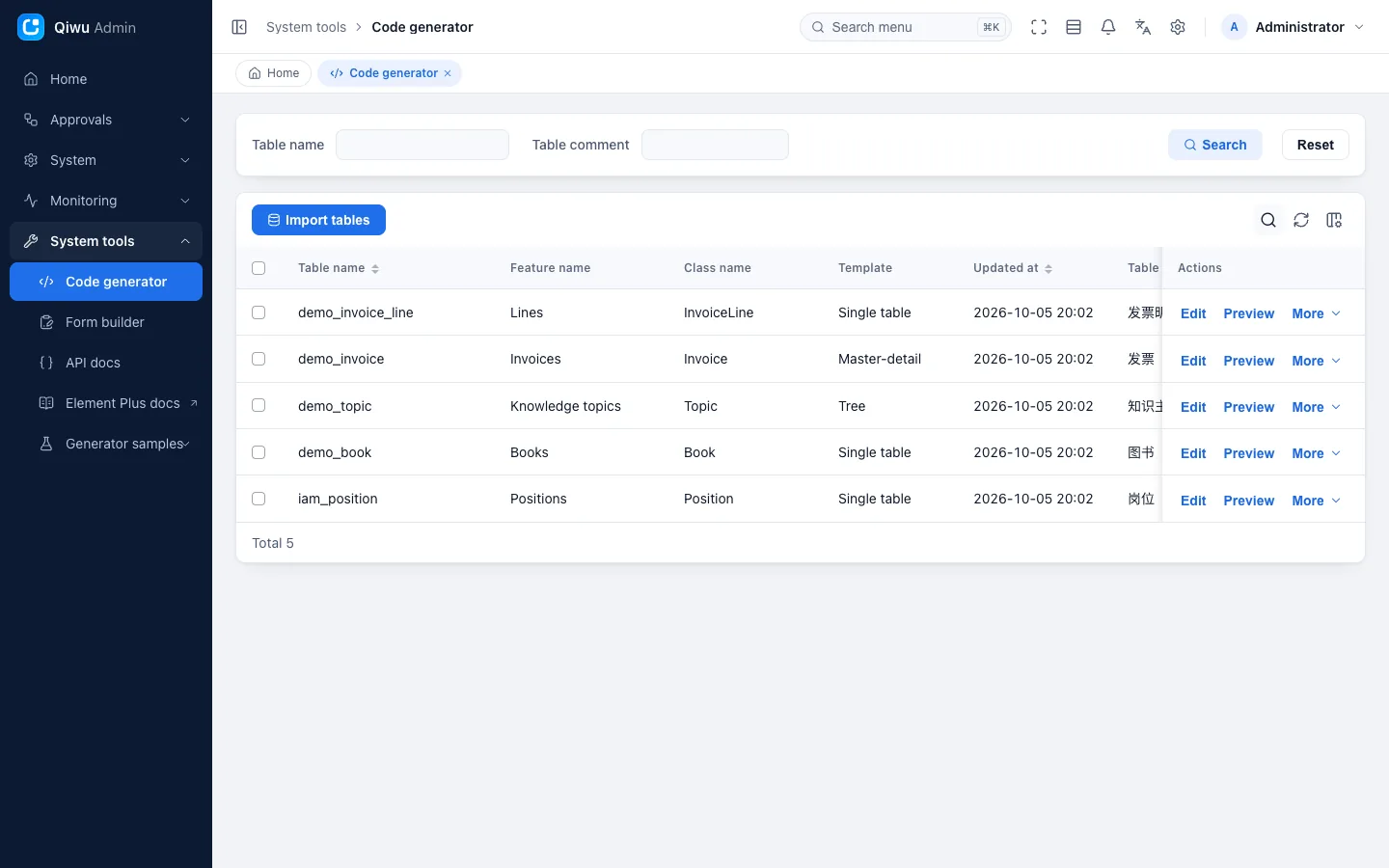
What it generates
| Template | Use case | Examples |
|---|---|---|
Single table crud | A plain list + form | Positions, the book sample |
Tree tree | Data with parent-child relations | The knowledge topic sample |
Master-detail master_sub | A document with several detail rows | The invoice sample (invoice + line items) |
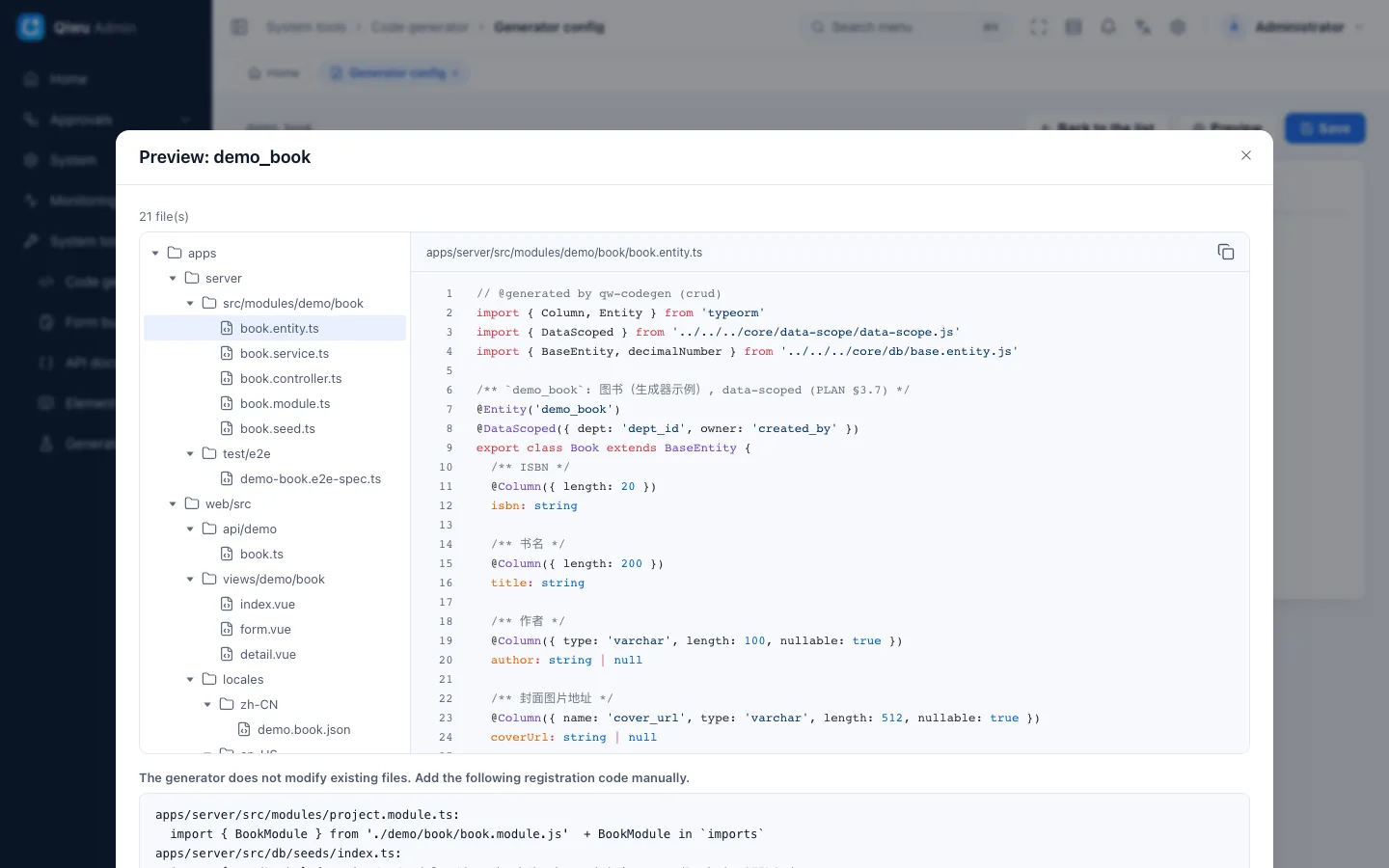
Each module gets:
- Backend: entity, service, controller (with permissions, action log and Swagger docs), module, plus menu and permission seeds
- Shared package: zod rules (create, update, query, response) and permission constants
- Frontend: list page (search, paging, sorting, column settings, and date range filters with Today, Last 7 days and Last 30 days shortcuts), form dialog, detail drawer, import dialog, API wrappers, Chinese and English translations
- Tests: e2e tests covering success, no permission (403), failed validation (400) and other cases
- Mobile (optional): list, detail and form pages for the employee mobile app; see the next section
Mobile pages
On the edit page of System tools → Code generator, the Generation tab has a Mobile pages switch. It is off by default and set per table. When it is on, preview, download and command-line generation also produce the module's mobile files:
- API wrappers;
- list, detail and form pages (read-only modules have no form page);
- Chinese and English translation snippets.
What the pages look like:
- List: a single keyword search box, with pull-up to load more. Tapping a row opens the details only for users with the View permission; users with only Browse stay on the list.
- Tree: tap through the levels one at a time; changing parent-child relations is done on a computer.
- Master-detail: each detail row is a card, and rows can be added and deleted.
A few notes:
- Mobile files are generated only while the repository still contains the mobile app (the
mobile/directory). In projects that deleted it, turning the switch on produces no extra files. - Sub-tables have no such switch in their own config and get no pages of their own: their detail rows show on the master table's detail page and are added and deleted on its form page.
- The generator never changes existing files. The registration code in the preview (printed at the end by command-line generation) lists the lines to add to the mobile page config
pages.json; paste them in by hand. How users reach these pages (for example, a shortcut on the Workbench) is also yours to add. - Mobile pages leave out secret columns and every filter except the keyword, and the details show department and user IDs instead of names. Add these yourself if you need them.
Delete the sample pages before release
The book, knowledge topic and invoice sample modules have this switch on, and their 9 mobile pages are registered in pages.json. These pages have no entry point and can only be opened by URL, but registered pages ship with the mini program and the app. Before your production release, remove these 9 pages from pages.json (one entry per page), and also delete mobile/e2e/mobile-codegen.spec.ts, the mobile end-to-end test written for these sample pages; otherwise the mobile automated tests fail. We recommend keeping the sample source code: the generator's consistency check compares it character for character.
The table name decides the module
The generator derives a module's names from the table name alone, with no config file: crm_customer → domain crm, business name customer. The code goes to modules/crm/customer/, the API is /api/crm/customers, and the permission codes are crm.customer.*. Generated pages are attached automatically to the menu group with the matching name (such as crm); you can pick another one in the config. See Adding a business module (Chinese).
Do not use the table prefixes of the platform and the workflow (such as iam_, wf_) for project tables. The im_ prefix and the domain name im are reserved for a future platform chat feature, so projects cannot use them either.
Two ways to use it
- Web page: System tools → Code generator. You can import tables, edit the config, preview the code, download a zip (several tables at once), and sync the table structure from the database.
- Command line:
pnpm gen importimports a table and saves the default config,pnpm gen render … --out <dir>writes the output to a directory outside the repository, andpnpm gen writewrites it into the repository (this needs the development environment andCODEGEN_WRITE=true).
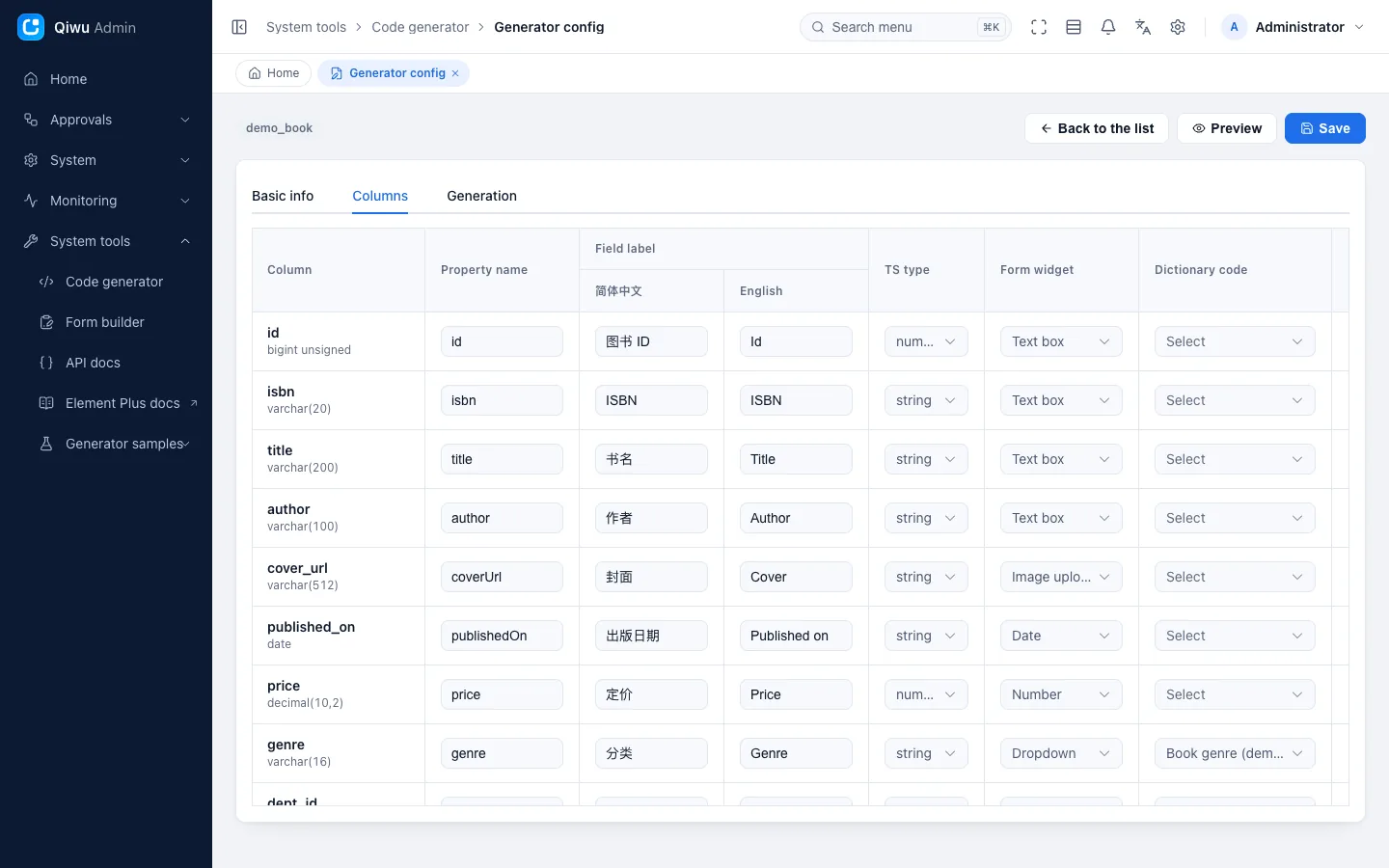
For the full steps, see Adding a business module (Chinese).
Safety guarantees
- Existing files are never overwritten. If a file exists with different content, only the diff is printed, and no file at all is written.
- Files are written only under the agreed source directories, never elsewhere through symbolic links.
- Identifiers such as table and column names are checked against an allowlist, and database values in templates are escaped.
- "Paste DDL to create a table" is not supported. Tables are created only through migrations, which avoids SQL injection risks.
Numeric precision
Generated code handles numeric columns as JavaScript numbers, which sets two limits:
- Integer columns (including
bigint): reliable only up to 9007199254740991 (2 to the power of 53, minus 1). The generated API rejects larger values, so keep ID and counter columns below this limit. - Decimal columns (
decimal,numeric): handled as numbers when the total number of digits (integer plus fractional) is at most 15, such asdecimal(12,2). With more than 15 digits (such asdecimal(20,2)), they are automatically handled as text, with a text box in forms and text cells in Excel, so full precision is kept. floatanddoubleare approximate by nature, so exact decimal arithmetic is not guaranteed.
For money and other values that need exact arithmetic, define your own rounding rules, or calculate with decimals in text form.
Modules with zero hand edits
If you save a module's generator config as a seed file (*.cg.ts), the module becomes a "zero hand edits" module: the check command pnpm gen:check-golden regenerates it and compares the result byte for byte with the code in the repository, and fails if any file is missing, different or extra. The template's built-in zero-hand-edit modules are Positions and the three samples: books, knowledge topics and invoices.
The command first builds the server, then empties and rebuilds the test database, and generates from it. To prevent accidental data loss, it only accepts the combinations of test database and Redis database number registered by the template (by default qiwu_test and database 15). So check your test environment settings before running it, and do not run it at the same time as the server tests.
The payoff is one-step sync after a template upgrade: run pnpm gen:check-golden --write to write the new generator's output into the repository, review the changes, then run pnpm gen:check-golden again to confirm there are no differences (for the commands, see Commands · Code generation (Chinese)). Before writing, it checks every file it would change: if any of them has uncommitted changes, is a symbolic link, or is an existing file not tracked by Git, it writes nothing at all. It replaces only the generated files of these modules and deletes old files that are no longer generated. A failure midway is not rolled back automatically; instead, it lists the files already changed and the Git commands to restore them.
Extra logic for these modules goes into new files next to the generated ones; the generated files must not be edited.